GitHub Operation Guide
Submit code to IQ9
Submit code to IQ9 by submitting a Pull Request (PR). After review, your code may be merged into the IQ9 main branch. For example, submit PR to the main branch of IQ9 Linux:
1. Log in to GitHub and visit the IQ9 repository https://github.com/IQ9-ai/linux.
2. Click the Fork button and follow the prompts to fork the repository to your own repository.

3. Clone the forked repository locally using the git clone command.
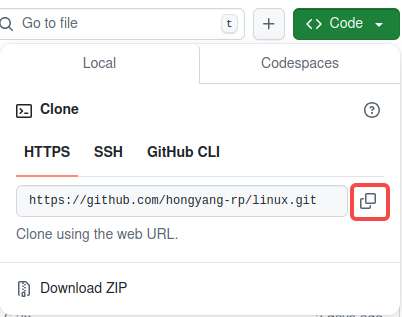
:::note > > Use the URL of your own repository. :::
``shell git clone https://github.com/hongyang-rp/linux.git ``
4. Enter the repository and create a new branch rpdev locally for development.
``shell cd linux git checkout -b rpdev ``

5. Modify and commit your code.
``shell git add . git commit -s ``
6. Run the git push command to push your local branch to your forked repository on GitHub.
``shell git push --set-upstream origin rpdev ``
If the following error occurs when you commit code, a personal token is required.

Method to obtain a personal token:
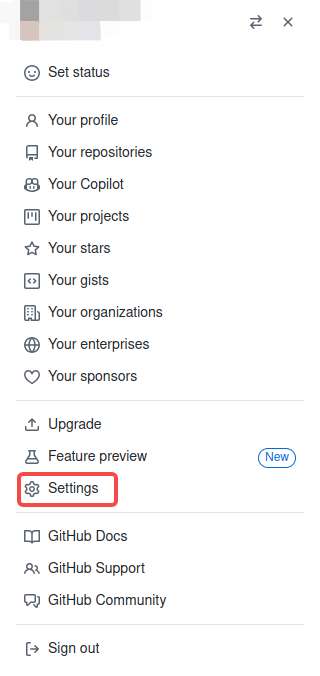
1. Click your GitHub avatar and click Settings.
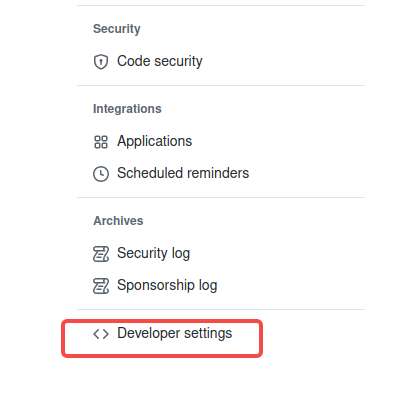
2. Click Developer settings.
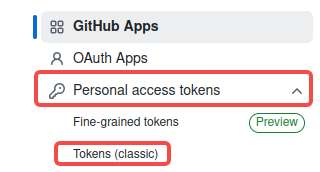
3. Select Personal access tokens and click Tokens (classic).
4. Select Generate new token.
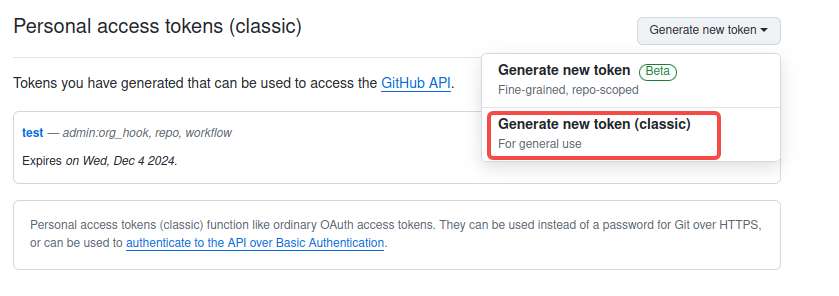
5. Configure the token: set a name and choose an expiration time.
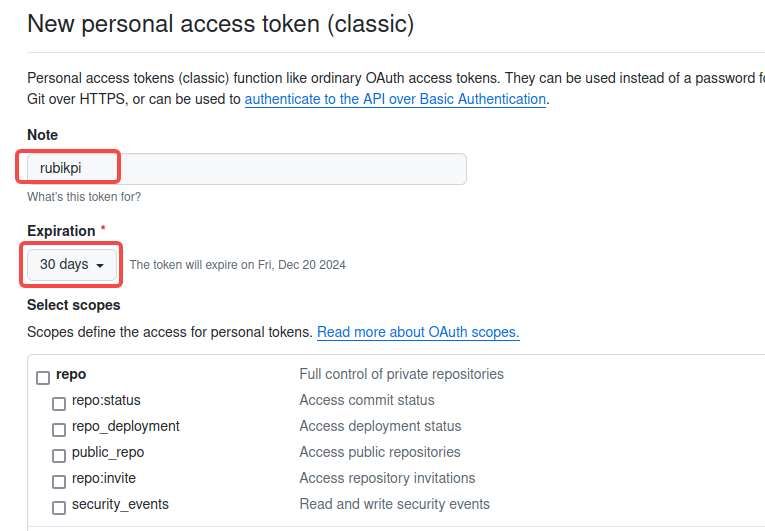
It is recommended that you check all the boxes and then click Generate token.
6) The following token is generated. Save the token properly.
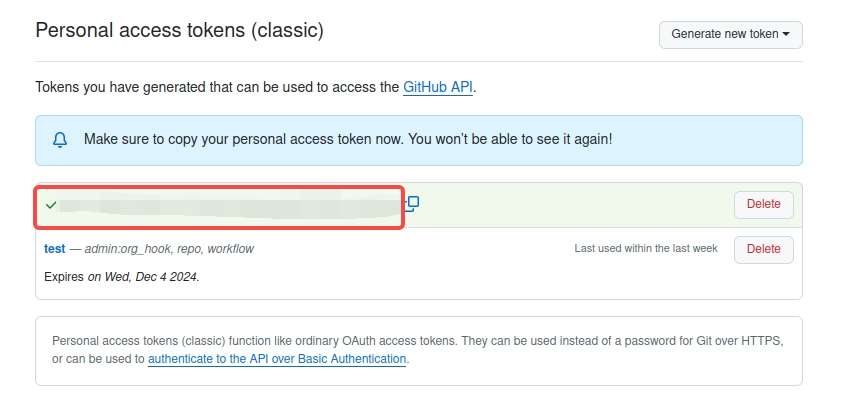
7) Run the git remote set-url command to configure the token.
``shell git remote set-url origin https://<your_token>@github.com/<USERNAME>/<REPO>.git ``
* Replace \<your_token> with the token you obtained.
* Replace \<USERNAME> with the GitHub user name.
* Replace \<REPO> with the repository name.
Perform the git push operation. The operation succeeds.
8. Open the browser to visit the repository you forked on GitHub. The following message is prompted. Click Compare & pull request to create a PR as prompted.

Alternatively, click Pull requests and click New pull request to create a PR.
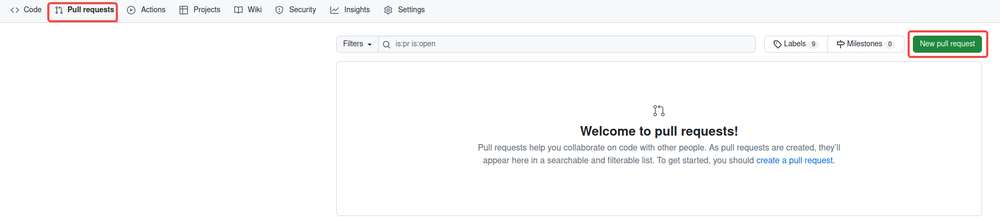
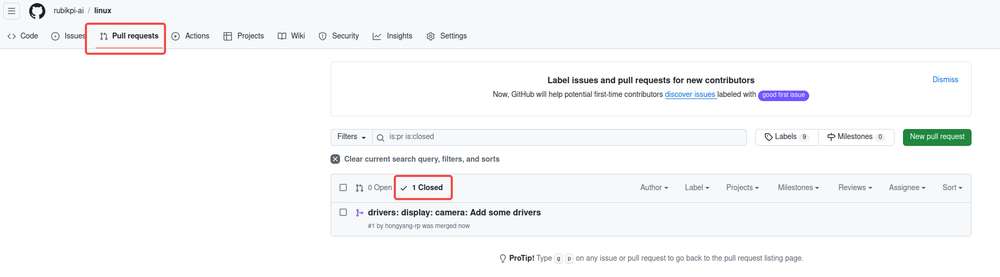
9. Wait for the administrator to view and reply to the PR, and finally merge the PR into the main branch. Click Closed to view PRs merged into the main branch.
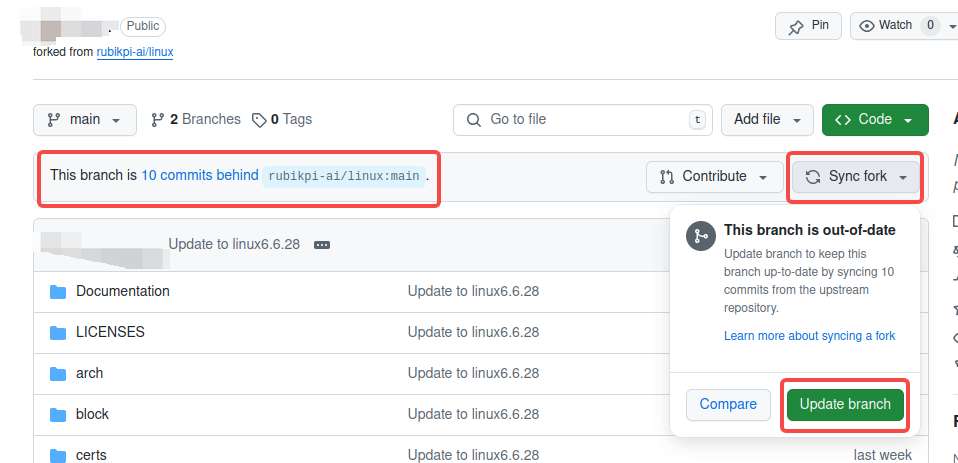
:::warning > > If the following message is prompted on the repository you forked, choose Sync fork > Update branch to update the GitHub repository. After the update succeeds, run the git pull command in the local repository to synchronize the update. :::
Create an issue
If you encounter problems during development, find bugs, have comments about IQ9, or want to add features, you can create an issue.
1. Log in to GitHub and visit the IQ9 repository https://github.com/IQ9-ai/linux.
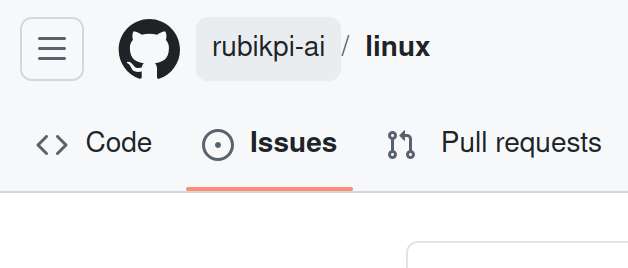
2. Click Issues in the upper left corner.
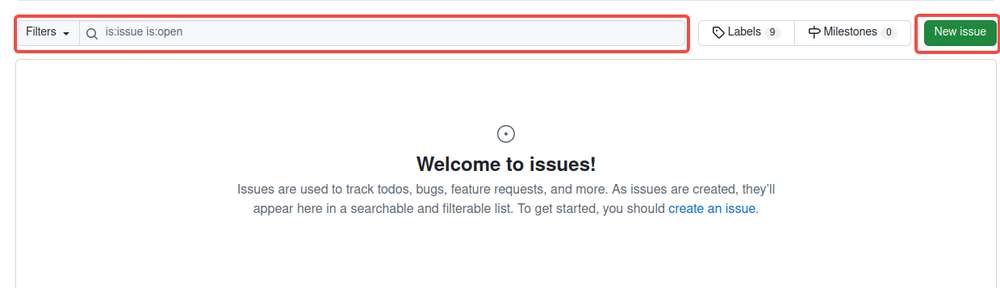
Before creating an issue, search the issue in the search box to find if someone has already created a similar one. Click New issue and follow the instructions to create an issue.
3. Wait for a reply from the community.