Device Specifications
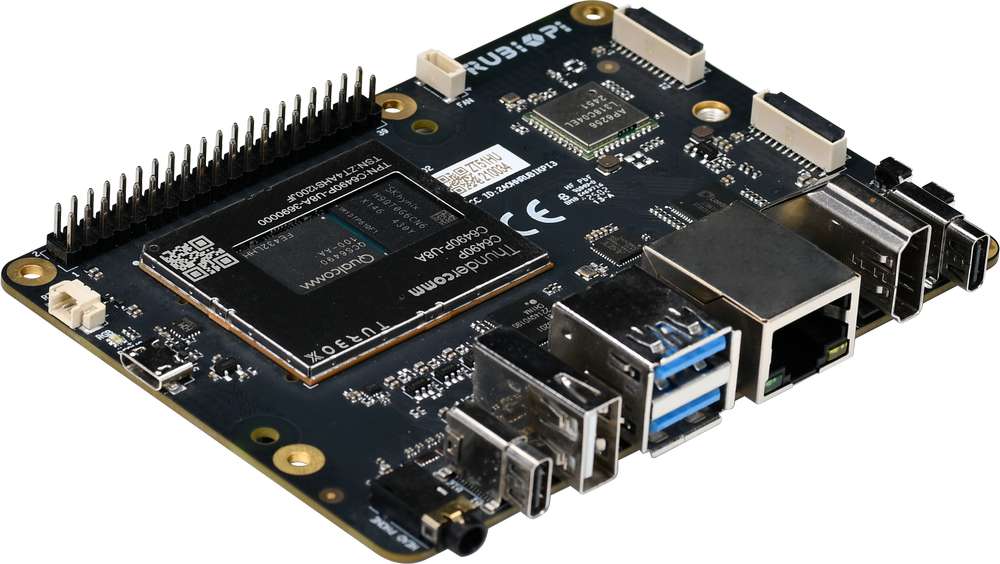
The IQ9, powered by the Qualcomm® QCS6490 SoC, is engineered for high-performance computing and seamless integration with modern development workflows. This guide walks you through setting up your board with Canonical Ubuntu, enabling you to explore and prototype end-to-end AI and multimedia applications. At its core, the IQ9 features: -- Qualcomm® Kryo™ 670 -- Qualcomm® Hexagon™ Processor with fused AI-accelerator architecture -- 12 TOPS of AI performance for real-time inference and machine learning workloads
Designed with versatility in mind, the IQ9 includes a wide array of interfaces: -- USB, Camera, DisplayPort, HDMI -- Ethernet, 3.5mm headphone jack -- Wi-Fi, Bluetooth -- M.2 connector, Fan, RTC -- 40-pin LS connector These features support a wide range of development scenarios, enabling rapid prototyping and efficient debugging.
Packaging
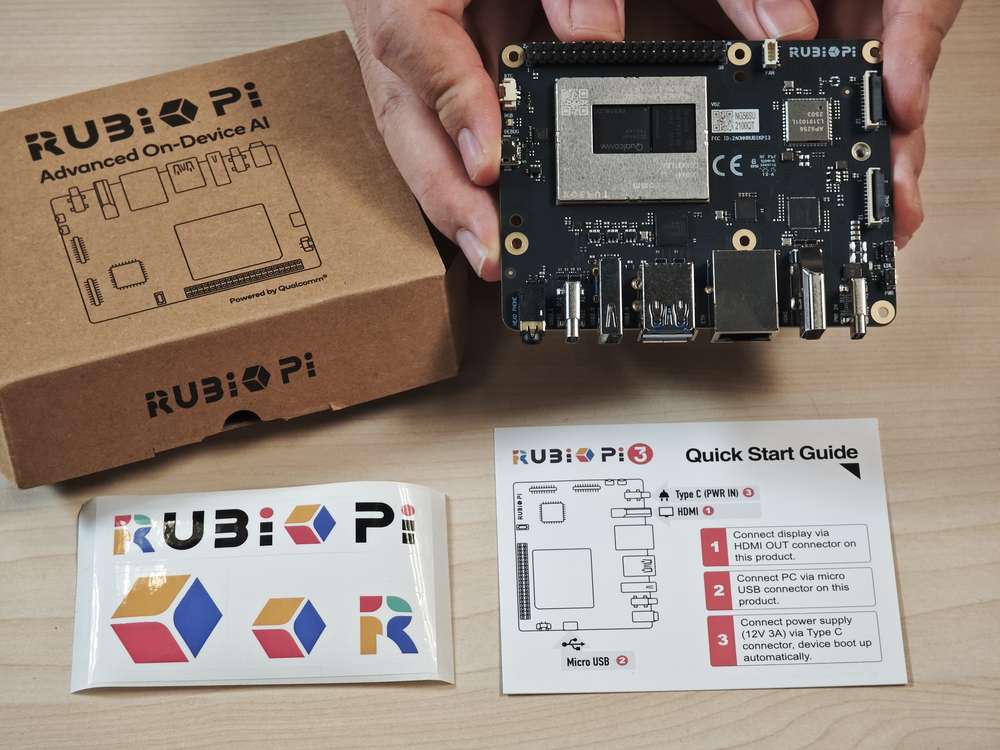
- IQ9
- IQ9 sticker
- Quick Start Guide
Mechanical specification
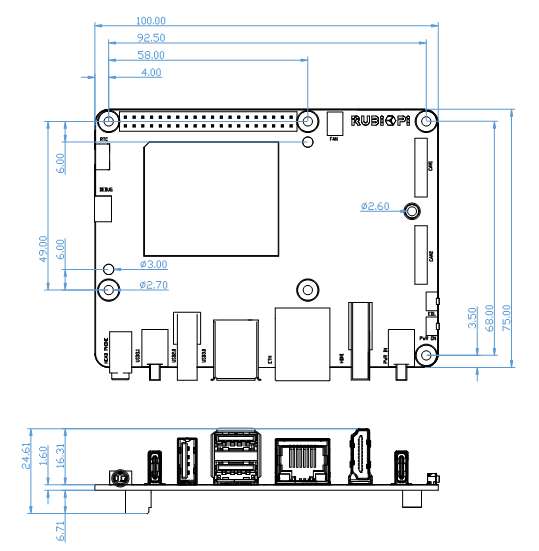
*All dimensions are in millimeters.
Introduction to the board
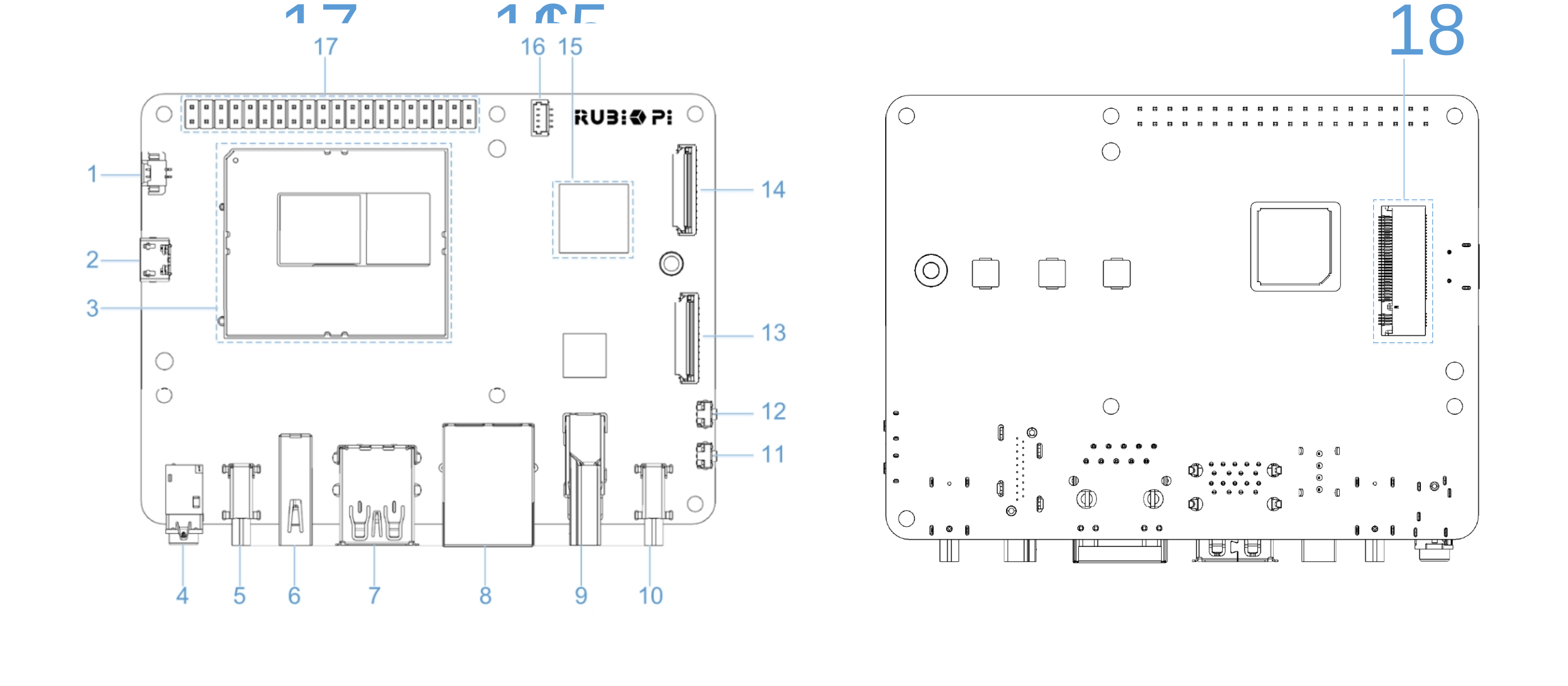
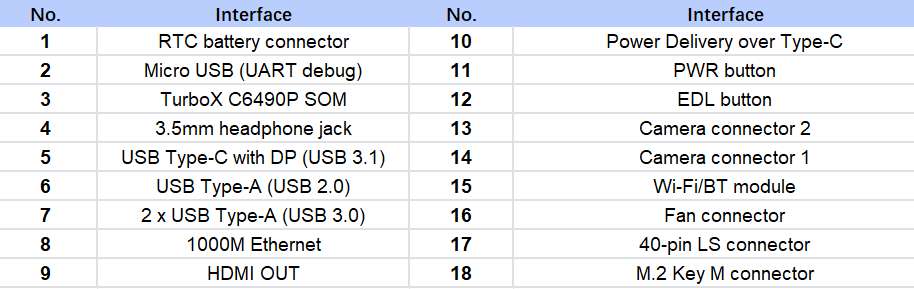
Required components for setup
| Component | Required |
|---|---|
| Power Supply (12V, 3A) | Yes |
| USB Type-C to USB Type-A or a Type-C cable | Yes (Flashing) |
| Micro USB cable | Yes (Serial prompt access) |
| HDMI cable | Yes (Display) |
| USB Mouse and Keyboard | Optional (Single Board Computer) |
| IMX219 and IMX477 | Optional (Testing CSI camera features) |
| USB camera | Optional (Testing USB camera features) |